01
Detect drives automatically
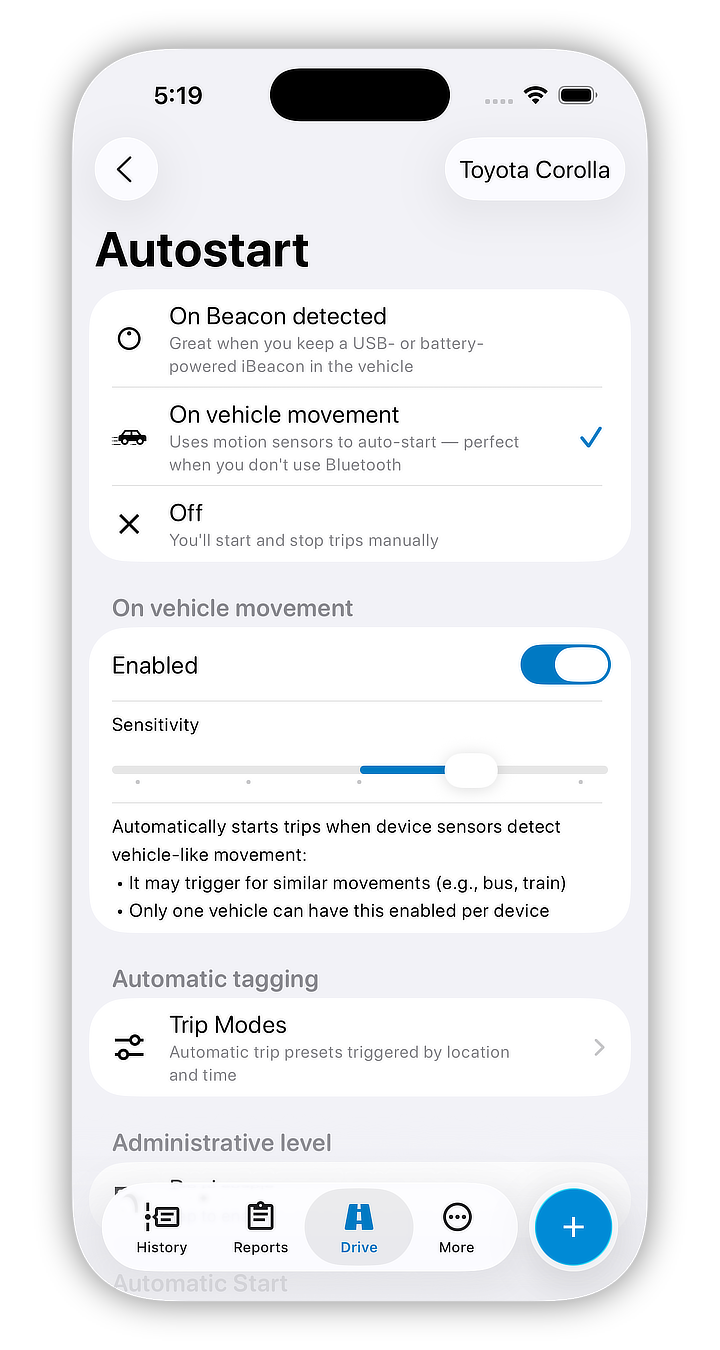
Trips start without opening the app or manually starting a log.
Just drive — Motolog automatically tracks your mileage and classifies trips for you. Keep fuel, expenses, and reminders connected to the same vehicle record without building every trip by hand.



Tracking since
2012
Downloads
1M+
Store rating
How it works
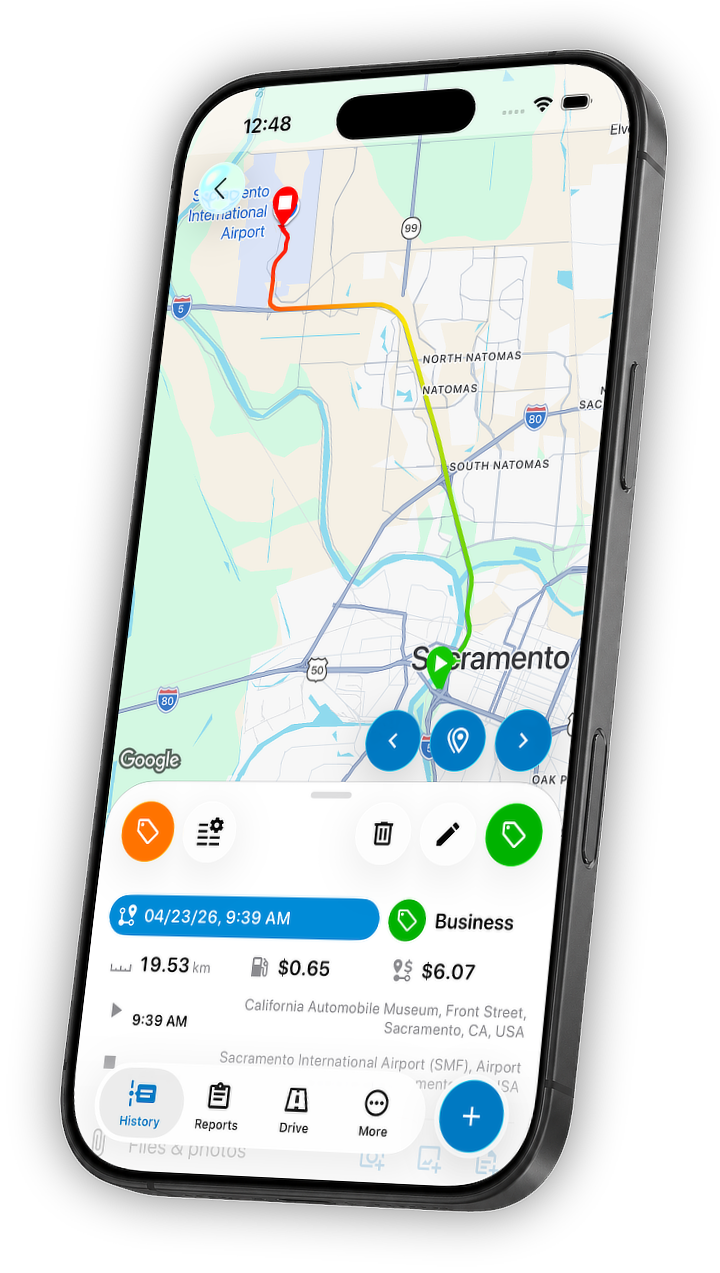
Motolog is built to stay out of your way while driving, then give you organized mileage records, already-tagged trips, and exports when you need them later.
01
Trips start without opening the app or manually starting a log.

02
Rules can tag trips by time or location, and you can still adjust anything quickly when needed.

03
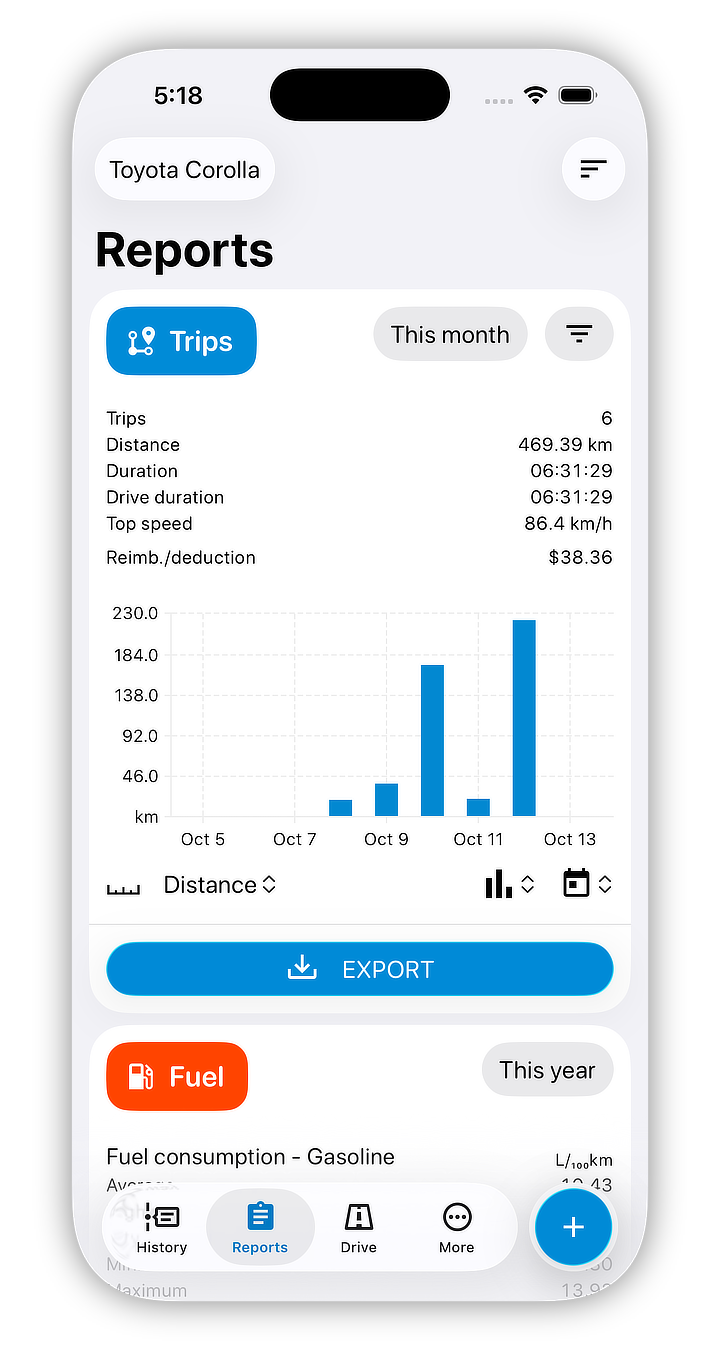
Generate PDF and Excel exports with the trip details needed for reimbursement or tax records.
Features
Motolog covers the parts of mileage tracking people usually end up stitching together across several apps.
Automatic trip detection is only the start. Trip modes, fuel, costs, reminders, reports, web access, and vehicle sharing stay connected in one vehicle record.
Track trips automatically, or add them manually with route, distance, and duration estimated for you.
Use time- and location-based rules to decide what gets tracked and how each trip is classified.

Detect border crossings and country changes to help keep distance records ready for IFTA reporting.

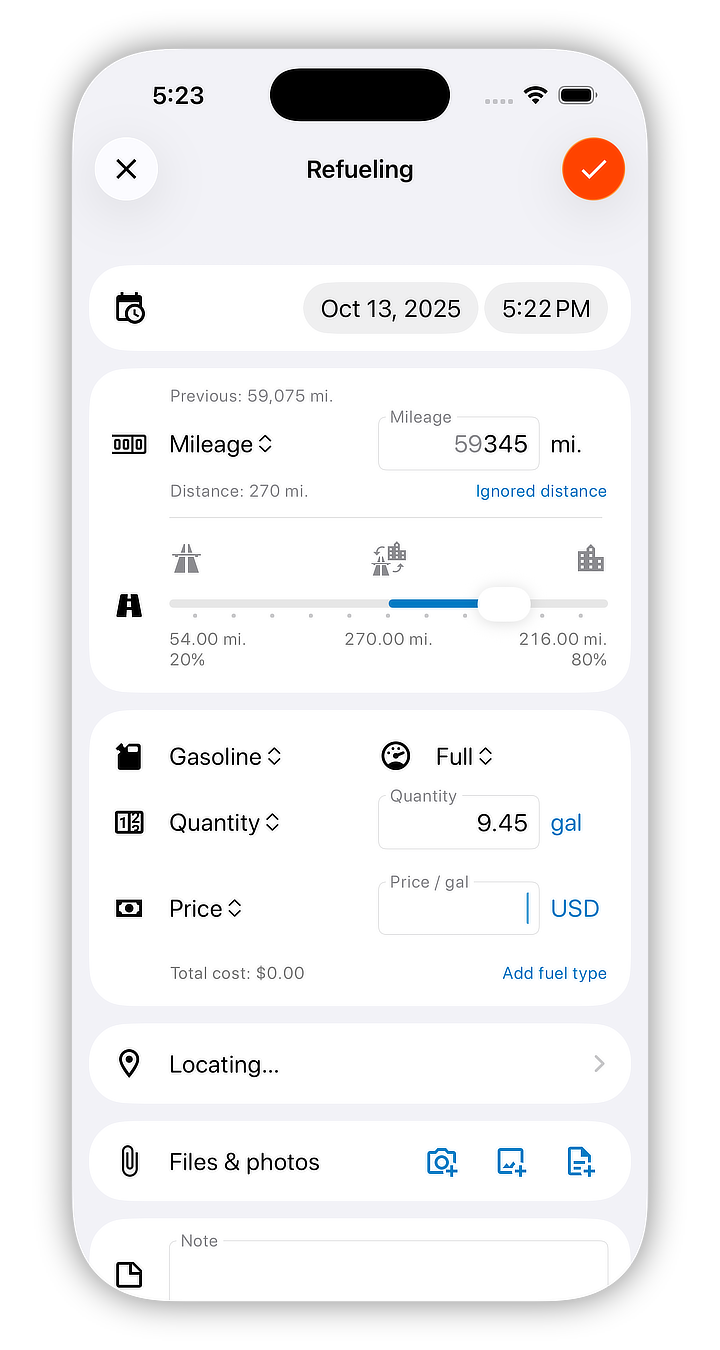
Track refuelings, fuel costs, average fuel economy, and separate city and highway consumption figures.

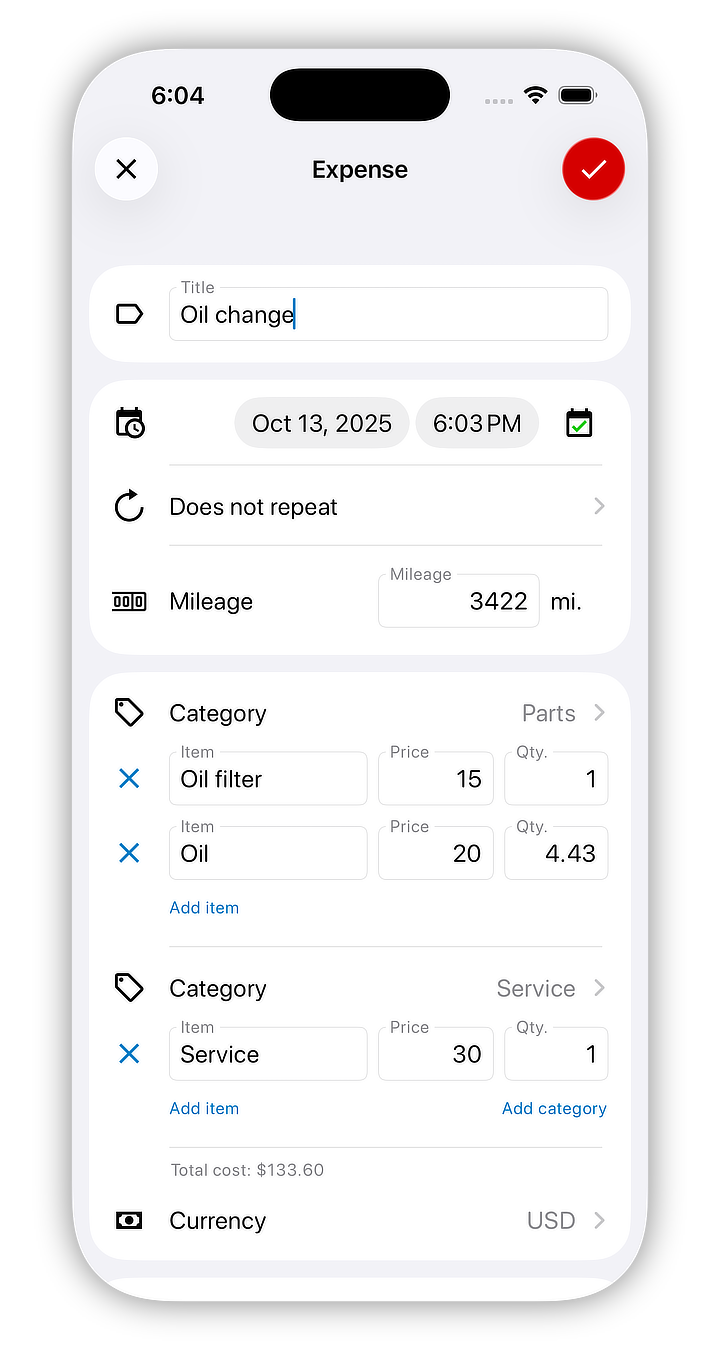
Keep income and vehicle costs in one record instead of splitting them across separate tools.

Stay ahead of inspections, service work, and other vehicle tasks with time- or mileage-based reminders.

Rearrange trip history and choose which fields, icons, and labels appear.

Review recent trips and records on the web when you want a larger screen for reporting or admin work.

Share a vehicle with other users and control what each person can view or change with customizable permissions.
Built for common mileage-tracking jobs
Keep cleaner mileage logs for client visits, deliveries, and on-site work without recreating trips by hand.
Tag eligible trips and review totals before applying your local mileage reimbursement rate or company policy.
See trips, fuel, and expenses together so mileage data stays connected to the real cost of operating a vehicle.
Whether you track reimbursable miles, client travel, or vehicle running costs, the same trip history can support those records.
Inside the app
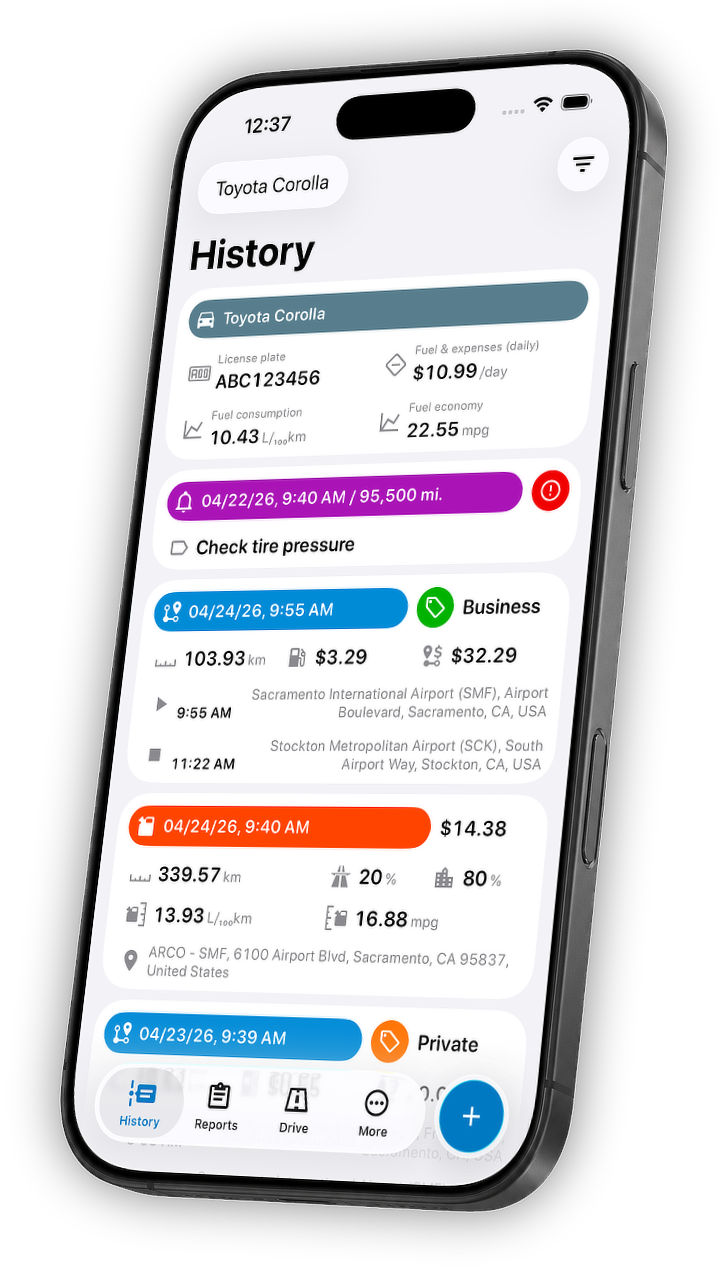
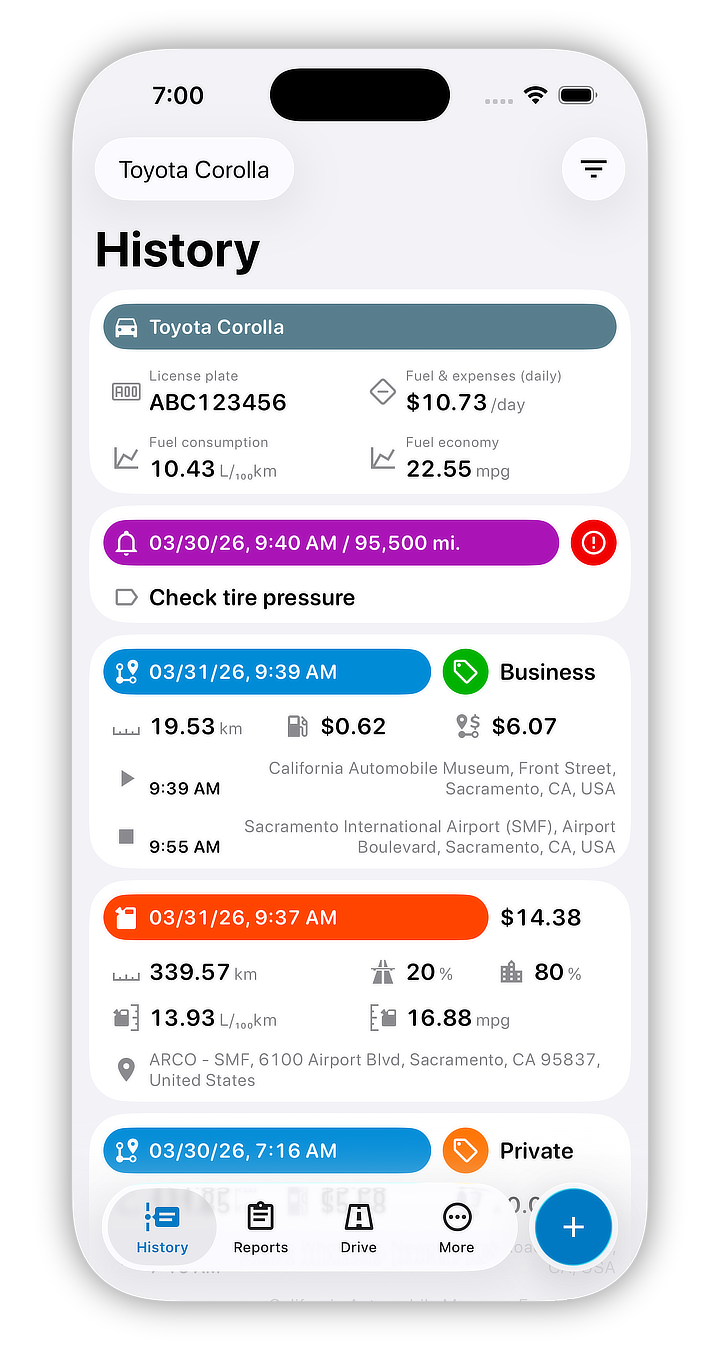
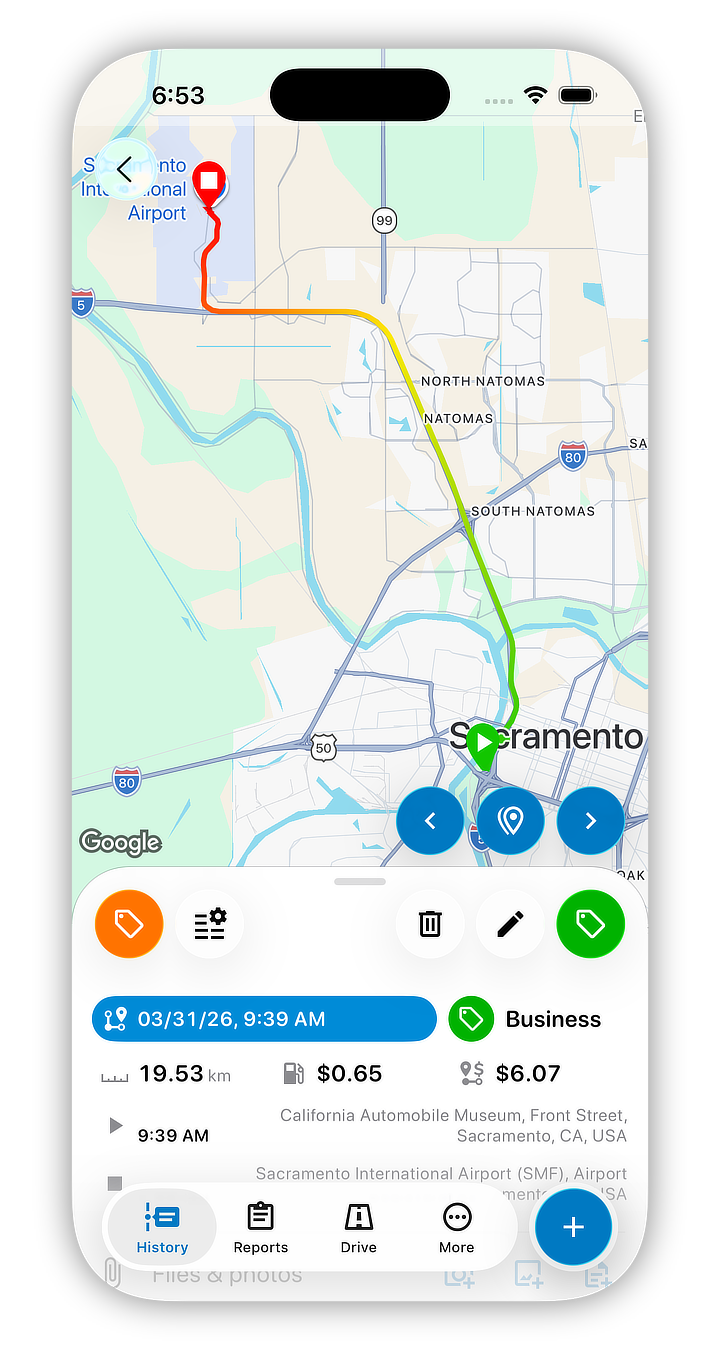
See how trip history, route details, reports, fuel logs, and expense records stay connected inside one vehicle record.
What people usually need from a mileage tracker app
People looking for an automatic mileage tracker usually want less manual entry. Motolog delivers that with automatic trip detection and quick classification tools.
Distance alone is not enough. The app keeps trip history, route data, fuel and expense records, and web access so your mileage log stays useful later.
A good mileage tracker should keep working after the trip ends. Motolog extends the same record into fuel economy, reminders, and operating costs.
FAQ
These answers cover common questions that come up while using Motolog, from licenses and reimbursement settings to syncing data across devices.
Download
Install Motolog on iPhone or Android, or sign in on the web to review trip history, reports, and vehicle records.
Contact
Use email for support, product questions, or business inquiries.